Interactive Product Card Animation in Alight Motion for Product Ads

Version: Latest
Mod info: Unlocked
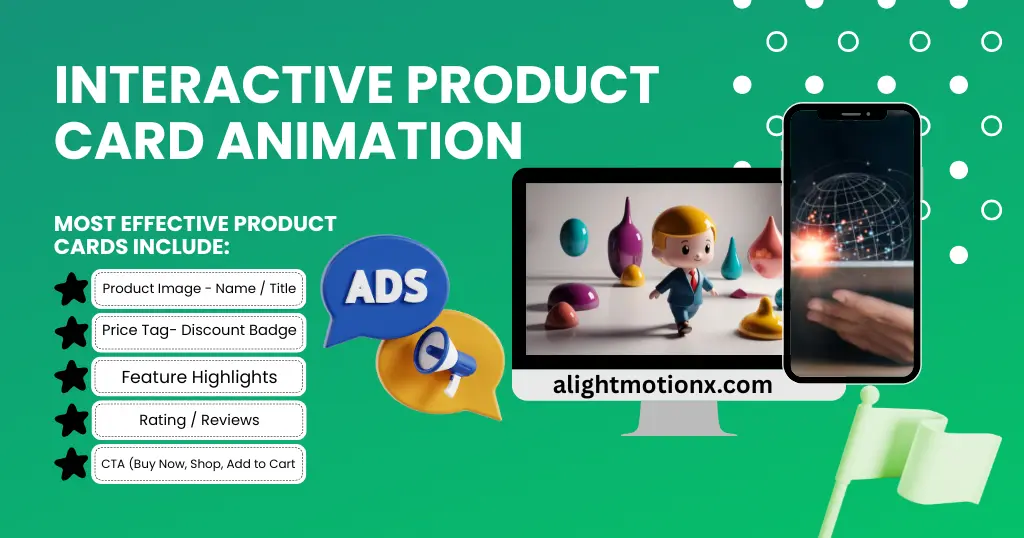
In today’s digital market, static product photos don’t sell anymore. Users want to see the product, touch it visually, and feel how it works. This is exactly why interactive product card animations are booming especially on platforms like Instagram, TikTok, and online stores.
Brands are using these animations to make their ads more clickable, engaging, and conversion-ready. And the best part? With Alight Motion Pro, you don’t need After Effects or a high-end PC to build them. A smartphone is enough.
Table of content
What is an Interactive Product Card Animation?
Think of it as a small animated card that:
- Displays the product
- Shows details dynamically (price, specs, features, rating)
- Reacts with motion like sliding, flipping, hovering, or tilt
- Feels alive instead of flat
These cards make product ads more modern, clean, and high-converting.
Why Brands Use This Animation Style
Online competition is high, and ads need to:
✔ Stop the scroll
✔ Hold attention
✔ Explain fast
✔ Convert without talking
Interactive cards do exactly that.
Why Use Alight Motion for Product Card Animation
Alight Motion Pro is popular among creators because:
- It handles motion graphics smoothly
- Works on mobile (no PC required)
- Allows layer-based animation
- Supports keyframe control
- Export quality is social-media ready
- Faster learning curve than After Effects
So it’s a perfect tool for beginners, creators, and ecommerce sellers.
Where This Animation is Used
You’ll see them heavily in:
- Ecommerce product ads
- Dropshipping stores
- Instagram shops
- TikTok product reviews
- Facebook marketplace ads
- Brand promotions
- Landing pages
- Reels & Shorts
Elements Inside a Product Card
Most effective product cards include:
- Product Image
- Name / Title
- Price Tag
- Discount Badge (Optional)
- Feature Highlights
- Rating / Reviews
- CTA (Buy Now, Shop, Add to Cart)
Before Designing: Collect Assets
You need:
✔ Transparent product PNG
✔ Brand colors
✔ Font pair (readable + modern)
✔ Price + Details
✔ CTA button text
Design Principles for High-Converting Cards
Great cards follow these rules:
👉 Minimal Layout
Don’t overload — clean sells better.
👉 Clear Price
Price must be readable without zoom.
👉 Correct Contrast
Products must pop over the background.
👉 Consistent Spacing
Make it professional and premium.
👉 Smooth Motion
Motion must enhance, not distract.
How to Create Interactive Product Card Animation in Alight Motion
Step 1 — Create the Base Layout
Use shapes for:
- Card background
- Buttons
- Containers
Keep round corners for a modern look.
Step 2 — Add the Product
- Insert product image and scale it.
- Use soft shadow to create depth.
Step 3 — Add Text Elements
Add:
- Title (short & bold)
- Price (clear)
- Features (3–4 max)
- CTA (Buy Now / Shop)
Step 4 — Add Motion Interactions
Motion must feel interactive like:
✔ Slide in
✔ Pop in
✔ Hover movement
✔ Tilt rotation
✔ Elastic scaling
These simulate the “touch & feel”.
Step 5 — Add Micro Animations
These make it premium:
- Button hover pulse
- Rating shimmer
- Tag bounce
- Icon tilt
- Card float
Small movements add human character.
Step 6 — Timing & Ease
Use easing to make motion natural:
- Ease in
- Ease out
- Cubic
- Elastic
Bad motion kills good design. Timing sells.
Recommended Timing Setup
| Element | Animation Typ | Duration |
| Product | Pop In | 0.3 – 0.5s |
| Title | Slide From Bottom | 0.2 – 0.3s |
| Price | Fade + Scale | 0.2 – 0.3s |
| Rating | Slide + Bounc | 0.3 – 0.4s |
| CTA Button | Elastic Scale | 0.4 – 0.6s |
| Hover Loop | Slow Float | Continuous |
Static Product Card vs Interactive Car
| Feature | Static Card | Interactive Card |
| Motion | None | Smooth + Engaging |
| Attention | Low | High |
| Click-Through | Weak | Strong |
| Information Delivery | Slow | Fast |
| Conversion | Low | High |
| Brand Perception | Basic | Premium |
Best Practices for Conversion
To make ads sell:
✔ Keep text short
✔ Use readable fonts
✔ Use branded colors
✔ Keep motion consistent
✔ Use high-quality visuals
✔ Avoid overshading or overeffects
✔ CTA must be visible always
Export Settings for Social Ads
Recommended outputs:
- Resolution: 1080×1350 (Instagram Feed)
- 1080×1920 (Reels/TikTok)
- Format: MP4
- FPS: 30 or 60
Bitrate: High
Who Benefits From This Animation
This type is great for:
- Ecommerce sellers
- Dropshippers
- Brand marketers
- Creators
- Product reviewers
- Agencies
- Print-on-demand stores
Conclusion
Interactive product card animation is one of the smartest ad formats for today’s ecommerce-driven world. With Alight Motion Pro, you don’t need heavy software or expensive designers a smartphone can produce clean, modern, and effective product ads that convert.
If you sell products, run brand promotions, or create content for clients, learning this animation style gives you a huge edge in the digital market.
FAQs
Is Alight Motion enough for professional ecommerce ads?
For mobile-first ads, it performs extremely well.
Do interactive cards increase conversions?
Yes. They lower bounce rate and increase click-through substantially.
Can beginners make this style?
Absolutely. It’s easier than After Effects for product-based animations.